Understanding Network Devices
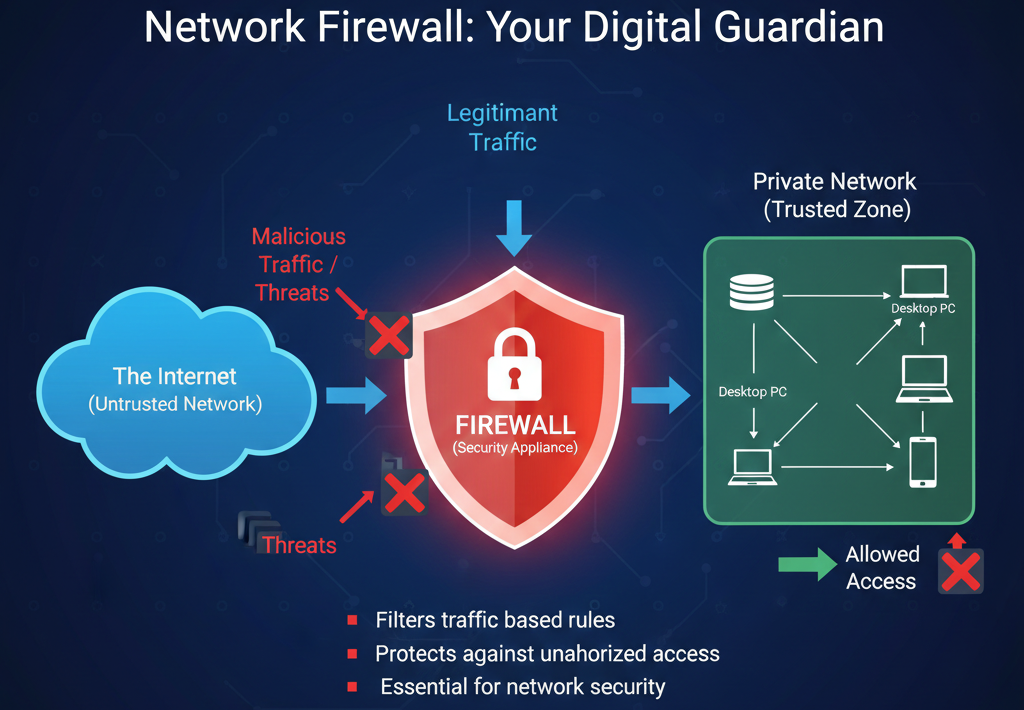
When we open a website or use an app, data travels through many devices before reaching us.
These devices work silently in the background, but without them, the internet would not exist.
In this article, we’ll understand network devices using simple language and real-world examples, just like how things work in daily life.
How the Internet Reaches Your Home or Office
Before diving into each device, let’s see the big picture.
Typical flow:
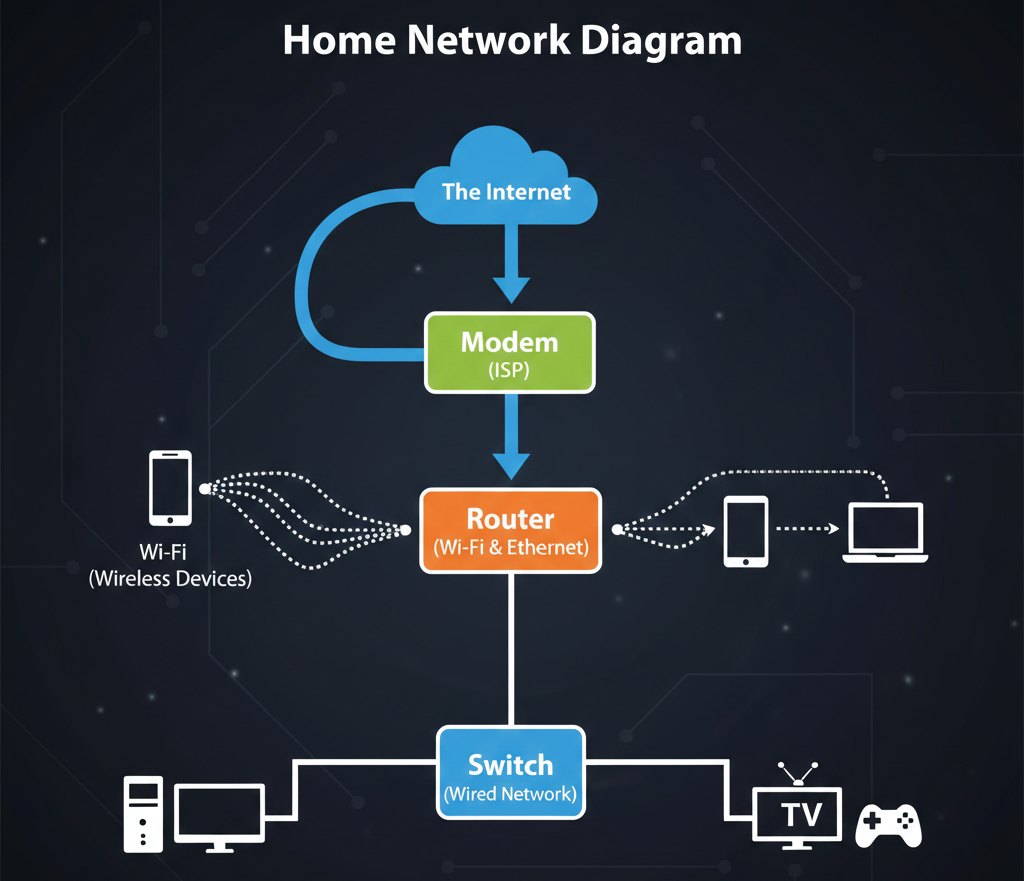
Each device has one clear job, and together they form a complete network.
1. What is Modem?
Modem is the device that connects your local network to the internet service provider (ISP).
Think of a modem like a translator.
Your ISP sends internet signals
Your computer understands digital data
The modem converts signals so both sides can understand each other
Without a modem, your network cannot talk to the internet at all.
In short:
Modem = Internet entry point
2. What is Router?
Once the internet enters through the modem, it goes to the router.
A router decides:
Which device should get which data
Where outgoing requests should go
Think of a router like a traffic police officer:
It directs traffic
Makes sure data reaches the correct destination
Prevents confusion between devices
That’s why multiple devices can use the internet at the same time.
In short:
Router = Traffic manager
Hub vs Switch (Local Network Devices)
Both hub and switch connect devices inside a local network, but they work very differently.
Hub (Old & Inefficient)
A hub sends data to all connected devices, even if only one device needs it.
It’s like shouting a message in a room so everyone hears it.
Problems:
Wastes bandwidth
Less secure
Slower network
Switch (Modern & Smart)
A switch sends data only to the intended device.
It’s like delivering a letter directly to the right house.
Benefits:
Faster communication
Better security
Efficient network usage
In modern networks, switches are used instead of hubs.
What is Firewal?
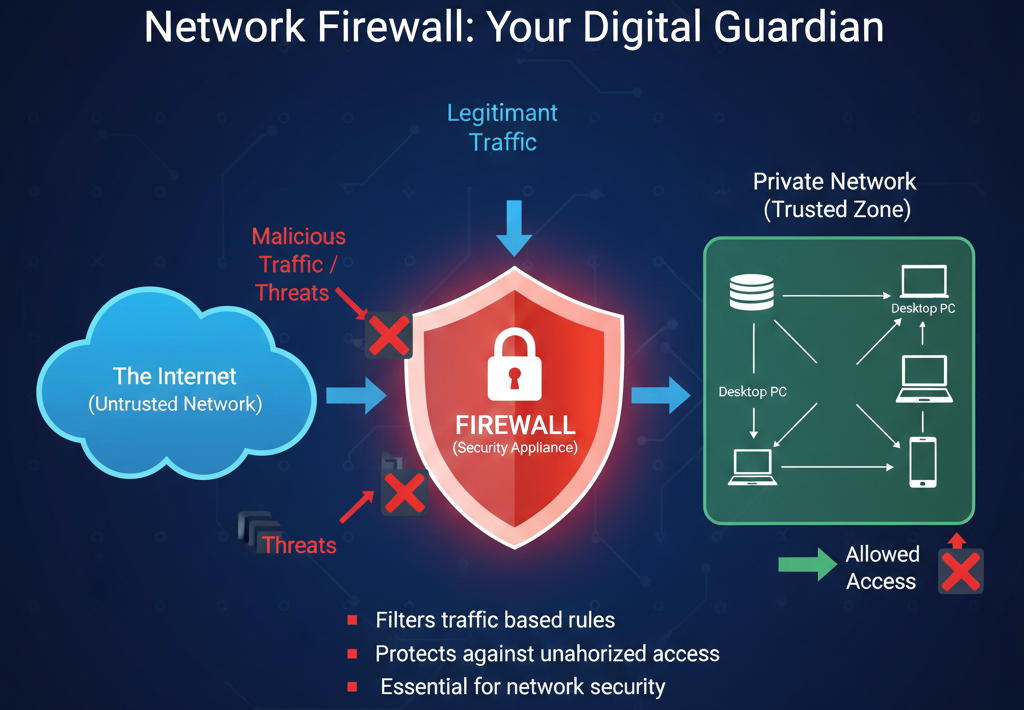
A firewal protects your network from unwanted traffic.
Think of it like a security gate:
Allowed people can enter
Suspicious visitors are blocked
Firewals:
Filter incoming and outgoing traffic
Protect against attacks
Enforce security rules
Firewals can be:
Hardware-based
Software-based
Or both
In short:
Firewal = Network security guard
What is Load Balancer?
When a website becomes popular, one server is not enough.
A load balancer distributes traffic across multiple servers.
Think of it like a toll booth with multiple lanes:
Cars are divided evenly
No single lane gets overloaded
Traffic keeps flowing smoothly
Benefits:
Better performance
High availability
Fault tolerance
In short:
Load balancer = Traffic distributor
6. How All Devices Work Together (Real-World Setup)
Let’s connect everything:
Internet comes from ISP
Modem connects to ISP
Router directs traffic
Firewall secures the network
Switch connects internal devices
Load balancer handles heavy traffic for servers
This setup is common in:
Offices
Data centers
Cloud infrastructure
Production web applications
Why Software Engineers Should Care
Even as developers, understanding these devices helps you:
Debug network issues
Design scalable systems
Understand deployment architectures
Work better with DevOps and cloud teams
Backend systems don’t live in isolation — they live inside real networks.
Final Thoughts
Network devices may look like simple hardware boxes, but together they form the backbone of the internet.
Once you understand:
Who connects
Who routes
Who protects
Who balances
The entire network picture becomes clear.
And that makes you not just a developer — but a better engineer.