JavaScript Arrays 101
JavaScript Arrays 101
When learning JavaScript, one common problem is storing multiple values.
For example, imagine you want to store your five favorite movies. If you store them separately, the code may look like this:
let movie1 = "Inception";
let movie2 = "Interstellar";
let movie3 = "Avatar";
let movie4 = "Titanic";
let movie5 = "The Dark Knight";
This approach works, but it quickly becomes messy when the list grows.
This is where arrays become useful. Arrays allow us to store multiple values in a single variable.
What Are Arrays?
An array is a collection of values stored in a single variable.
Example:
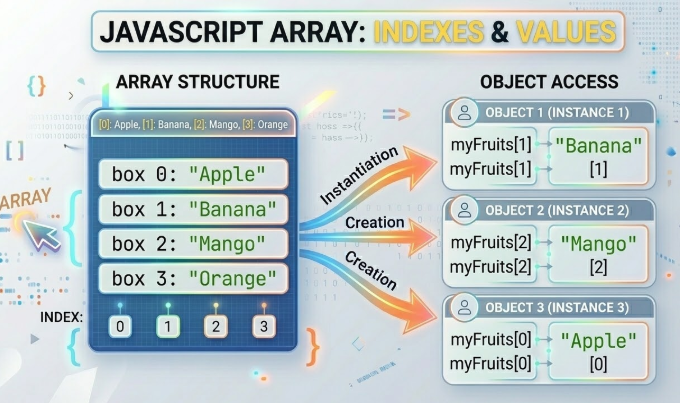
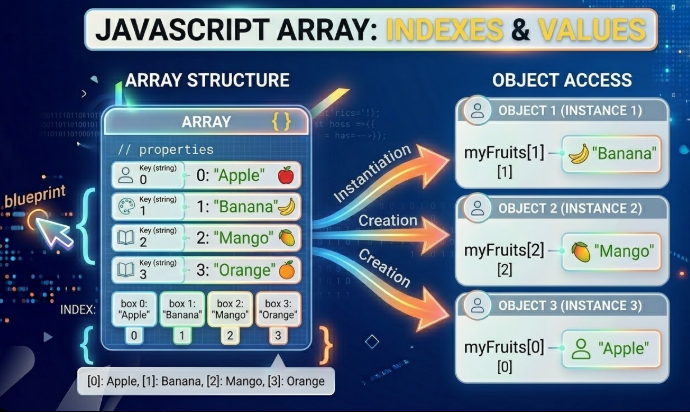
let fruits = ["Apple", "Banana", "Mango", "Orange"];
Here:
fruitsis the array"Apple","Banana","Mango","Orange"are the elements inside the array
Arrays help organize data when we have a list of related values.
How to Create an Array
Arrays are created using square brackets [].
Example:
let numbers = [10, 20, 30, 40];
Another example:
let colors = ["Red", "Blue", "Green"];
Arrays can store different types of data, but usually they store similar values.
Accessing Elements Using Index
Each value in an array has a position called an index.
Important: Array indexing starts from 0.
Example:
let fruits = ["Apple", "Banana", "Mango"];

console.log(fruits[0]);
Output:
Apple
Another example:
console.log(fruits[1]);
Output:
Banana
So:
index
0→ first elementindex
1→ second elementindex
2→ third element
Updating Elements
We can change values inside an array using the index.
Example:
let fruits = ["Apple", "Banana", "Mango"];

fruits[1] = "Orange";

console.log(fruits);
Output:
["Apple", "Orange", "Mango"]
Here we replaced Banana with Orange.
The Array Length Property
JavaScript arrays have a built-in property called length that tells us how many elements exist in the array.
Example:
let fruits = ["Apple", "Banana", "Mango", "Orange"];

console.log(fruits.length);
Output:
4
This is useful when working with loops.
Looping Over Arrays
We often need to go through every element in an array. A simple way to do this is using a for loop.
Example:
let fruits = ["Apple", "Banana", "Mango"];

for (let i = 0; i < fruits.length; i++) {
  console.log(fruits[i]);
}
Output:
Apple
Banana
Mango
The loop runs through each index and prints the element.
Assignment Example
Create an Array of 5 Favorite Movies
let movies = [
  "Inception",
  "Interstellar",
  "Avatar",
  "Titanic",
  "The Dark Knight"
];
Print First and Last Element
console.log(movies[0]);
console.log(movies[movies.length - 1]);
Change One Value
movies[2] = "Doctor Strange";

console.log(movies);
Loop Through the Array
for (let i = 0; i < movies.length; i++) {
  console.log(movies[i]);
}
Final Thoughts
Arrays are one of the most useful data structures in JavaScript. They allow us to store multiple related values in an organized way.
Instead of creating many separate variables, arrays help keep our code cleaner and easier to manage.
As you continue learning JavaScript, you will use arrays frequently for storing lists such as user data, products, tasks, and more.